Coming soon
The following features are coming in the next release of ThoughtSpot Cloud.
July 2026 26.7.0.cl
Focused home page Beta
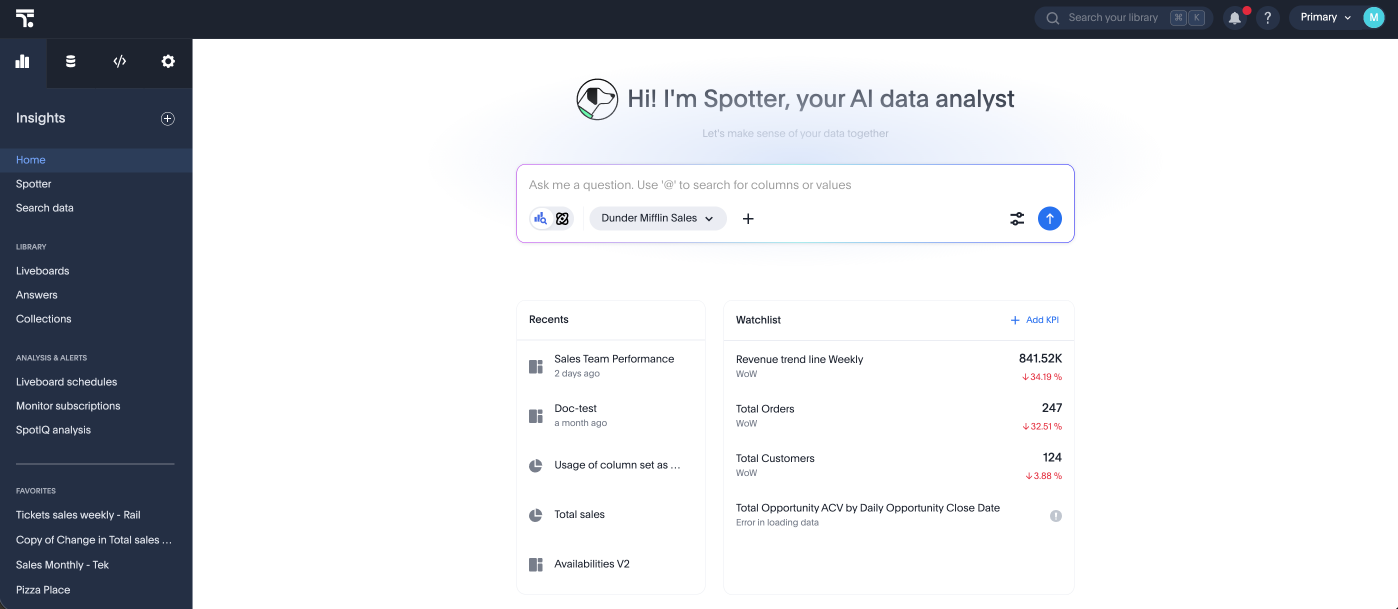
ThoughtSpot introduces a new focused home page experience option. The focused home page delivers a streamlined, contemporary experience that highlights Spotter. Administrators can manage the home page version for all Orgs, or individual Orgs when the feature is enabled. To enable this feature, contact your administrator.
New charts library
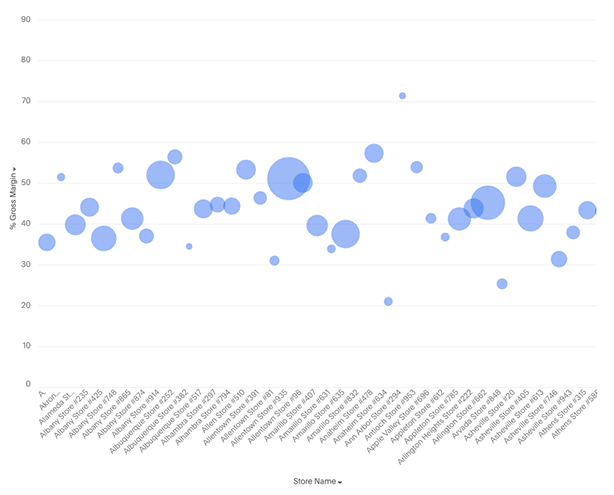
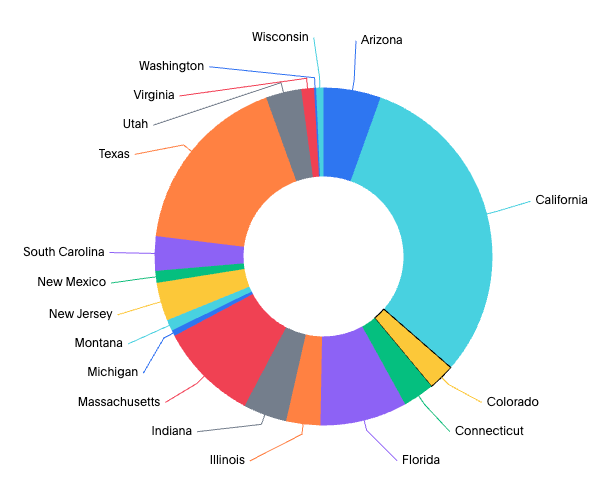
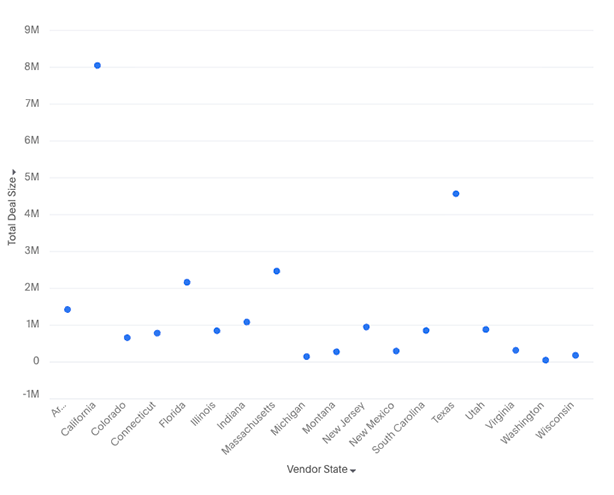
The new charts library is now generally available (GA) and is the default charting experience in ThoughtSpot. These new charts unlock sophisticated visualizations like faceted, cross-tabbed, multivariate, and bullet charts. They also resolve previous limitations by allowing multiple columns in line column charts and slicing by color with multiple measures, while providing deeper granular control over configurations such as tooltips, data labels, and axes. To enable the GA charts, contact your ThoughtSpot administrator.
In this release, we introduce the following new charts:
-
Bubble
-
Donut
-
Scatter
SpotterViz insight tiles Beta
Insight tiles display AI-generated text analysis on a Liveboard. You configure the tile with instructions that define how the data should be interpreted — including which signals to surface and what conditions should be flagged. Each time the Liveboard loads, the agent executes those instructions against the current data and produces a text output. The tile supports outputs ranging from a single summary sentence to a multi-step analysis, depending on how the prompt is written. To enable this feature, contact ThoughtSpot Support.
Command palette
The command palette is now generally available (GA). You can now access anything in ThoughtSpot from a single keystroke. The command palette (Cmd + K on Mac / Ctrl + K on Windows and Linux) is a global command center that unifies navigation, search, and actions across the ThoughtSpot platform. Instead of switching between menus, list pages, and contextual controls, you can find content, trigger workflows, and navigate to any part of the product — all from one place.
With the command palette, you can:
-
Search across Liveboards, Answers, Models, and more in one place.
-
Launch a new Answer, Liveboard, or Spotter chat.
-
Jump to any section of ThoughtSpot directly, from Home to Admin settings.
-
Type your data question and send it straight to Spotter.
-
Press forward slash (/) to filter your search by Liveboards, Answers, Admin settings, Create, Spotter, Models, Tables, and Collections.
SpotQL Beta
Spotter now uses SpotQL — a smart semantic query engine — to answer complex analytical questions that go beyond what standard token-based answers can express, like questions involving nested logic, comparative rankings, derived metrics, and multistep filtering. SpotQL generates and executes precise semantic queries directly against your connected data source, grounded in your ThoughtSpot semantic model. Just ask your question in plain English, and Spotter handles the rest. To enable this feature, contact ThoughtSpot Support.
Other features and enhancements
Spotter Analysts Beta
You can now create Spotter Analysts-- focused, governed analysts that tailor Spotter to a specific team, use case, or domain. Instead of accessing the general Spotter experience, configure the context once: which data models the agent can see, custom instructions that shape its behavior, the connectors it can use, and who the workspace is shared with. Open a Spotter Analyst and you enter a pre-configured experience the moment you start.
User-level memory Early Access
Spotter can now create memory based on a single user’s conversations, remembering your personal preferences every time you give a correction.
Can manage Spotter privilege
Can manage Spotter is the privilege for a Spotter administrator — the person responsible for how Spotter behaves across the organization. It lets a user manage Spotter’s global coaching, memory, Spotter instructions, and Spotter Analysts.
Nothing changes for your existing setup. Can manage Spotter is opt-in and assigned by an administrator. No existing privilege or access is modified — coaching access, can manage data models, and can use Spotter privileges all continue to work exactly as before.
Org-aware Spotter flags
Org-aware Spotter flags are now generally available (GA). Org-aware Spotter flags allow cluster administrators to allocate Spotter features to specific Orgs, and let Org administrators independently enable or disable these features for their users. This means each Org within a multi-Org ThoughtSpot deployment can have its own Spotter AI configuration, without affecting other Orgs.
Writeback for Snowflake and Google BigQuery Beta
ThoughtSpot introduces writeback tables. Writeback with input tables allows you to create and edit tables directly in ThoughtSpot, where you can add new columns and update values. Data is saved back to your cloud data warehouse so you can use these tables across Answers and Liveboards. Currently, we support writeback for Snowflake and BigQuery cloud data warehouses. This feature supports planning, and operational workflows, removing the need for spreadsheets or manual uploads. Only users with edit permissions can make changes, and all edits are tracked for governance. To enable this feature, contact ThoughtSpot Support.
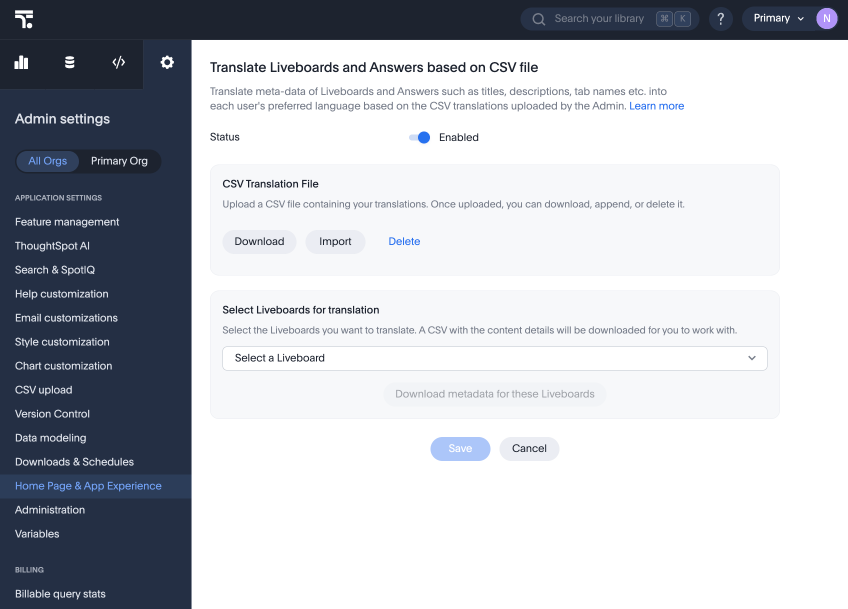
Manual translation service for Liveboard and Answers
To take more control over how ThoughtSpot translates content for users in other locales, you can manually upload a CSV containing translations of terms and labels in Liveboards and Answers. These translated terms appear in ThoughtSpot automatically when a user in the defined locale language opens the Liveboard or Answer.
dbt MetricFlow integration - Databricks support
ThoughtSpot introduces support for Databricks as an underlying cloud data warehouse (CDW) in dbt MetricFlow.
dbt MetricFlow public APIs
You can now use dbt MetricFlow public APIs, which will help to create or manage dbt MetricFlow models programmatically.
Org isolation while using per-Org SAML
ThoughtSpot now enforces strict Org boundaries when authenticating users through per-Org SAML identity providers (IdPs). When a user logs into an Org via a per-Org IdP, ThoughtSpot filters all incoming SAML group claims and silently drops any claim that references a group in a different Org. This prevents an IdP from granting unauthorized access across Org boundaries.
Org-scoped Identity Provider (IdP) connections UI Beta
ThoughtSpot introduces support for Org-scoped IdP connections and login page rendering. This update allows you to create IdP connections that are fully isolated per Org, ensuring that users can only authenticate into the Org associated with their IdP connection. The login page for each Org displays only the IdP connections configured for that Org, eliminating unpredictable login flows. Administrators can configure the system to show all IdP connections or just a default one per Org. This change prevents first-time login dead ends and aligns authentication with Org isolation principles.
For the Developer
For new features and enhancements introduced in this release of ThoughtSpot Embedded, see ThoughtSpot Developer Documentation.