New homepage and navigation

The homepage and navigation of the ThoughtSpot app have been entirely redesigned.

New homepage

On the new home page, you can explore insights, search and access your library of Answers and Liveboards, and more.

New navigation

The new global navigation organizes ThoughtSpot into different contextual sections. Each one is designed for a common type of ThoughtSpot user. You navigate to each option using the tabs in the left hand menu.

Insights

The Insights tab is designed for the business user.
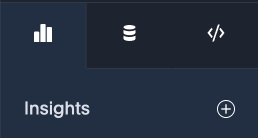
Insights tab
Data workspace

The Data workspace tab is designed for the data engineer.
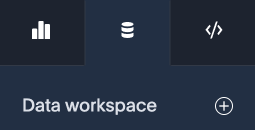
Data workspace tab
Develop

The Develop tab is designed for developers.

Develop tab
Admin settings

Administrators will find an option to navigate to Admin settings under their profile.
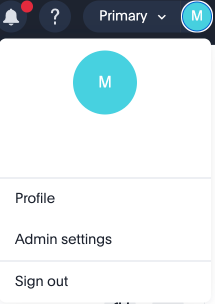
Navigate to Admin settings.

Features are organized in the following ways:

App User Features

Insights

Business user

  • Home

    • Library

  • Spotter

  • Search data

  • Library

    • Liveboards

    • Answers

    • Collections

  • Analysis & Alerts

    • Liveboard schedules

    • Monitor subscriptions

    • SpotIQ analysis

  • Favorites

Data workspace

Data engineer

  • Data objects

    • Models

    • Tables

    • Data sets

    • Views

  • Connections

  • Analyst Studio

  • Utilities

  • Sync

  • Spotter Coaching

    • Reference questions

    • Business terms

  • Governance

    • Data catalog

    • Usage

    • dbt

    • Liveboard verification

Develop

Developer

  • ThoughtSpot Embedded

    • Visual Embed SDK

    • REST API

    • Customizations

Admin settings

Administrator

  • Org Management

    • Orgs

  • User Management

    • Users

    • Groups

    • Roles

  • Authentication

    • Local

    • Single Sign On

    • Provisioning

  • System activities

    • User adoption

    • Object usage

    • Performance tracking

    • AI and BI Stats

  • Application settings

    • Onboarding

    • ThoughtSpot AI

    • Search & SpotIQ

    • Help customization

    • Style customization

    • Chart customization

    • CSV upload

    • Early access features

    • Version Control

    • Data modeling

    • Downloads & Schedules

    • Home Page & Discovery

    • Administration

  • System

    • Scheduled maintenance

    • Status Portal

    • Terms

  • Billing

    • Billable query stats

Finding things in the new navigation

Trying to find something in the redesigned navigation?

Here’s a quick reference which compares where things were in the previous navigation to where they are in the redesigned navigation:

Previous location New location

Home

Insights > Home

Answers

Insights > Answers

Liveboards

Insights > Liveboards

SpotIQ

Insights > SpotIQ Analysis

Monitor

Insights > Monitor Subscriptions

Data

Data workspace

Develop

Developer

Admin

Admin settings


Was this page helpful?