Search your Spotter chats
Search your saved Spotter chats to find a past analysis and continue it. Spotter matches your search against the chat title, the questions you asked, and Spotter’s answers.
| Search is available in Spotter 3. For the Spotter versions, see Spotter versions. |
Before you begin
-
Chat history must be turned on for your instance. See Enabling chat history.
-
Only saved chats are searchable. Chats you delete, and chats removed by the retention period, no longer appear in results.
Search your chats
To search your chats, follow these steps:
-
Open Spotter.
-
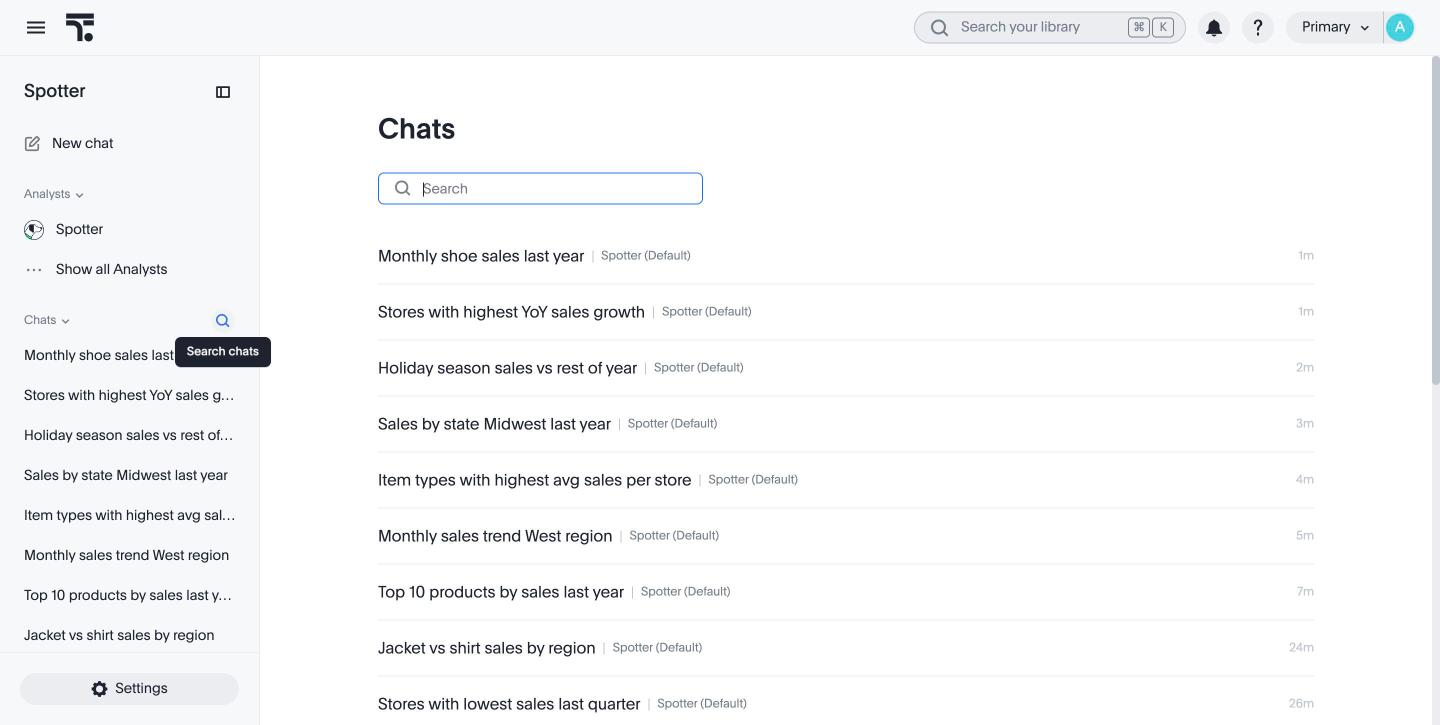
In the Spotter sidebar, click Search chats (the search icon next to Chats). The Chats page opens and lists your chats, newest first.
-
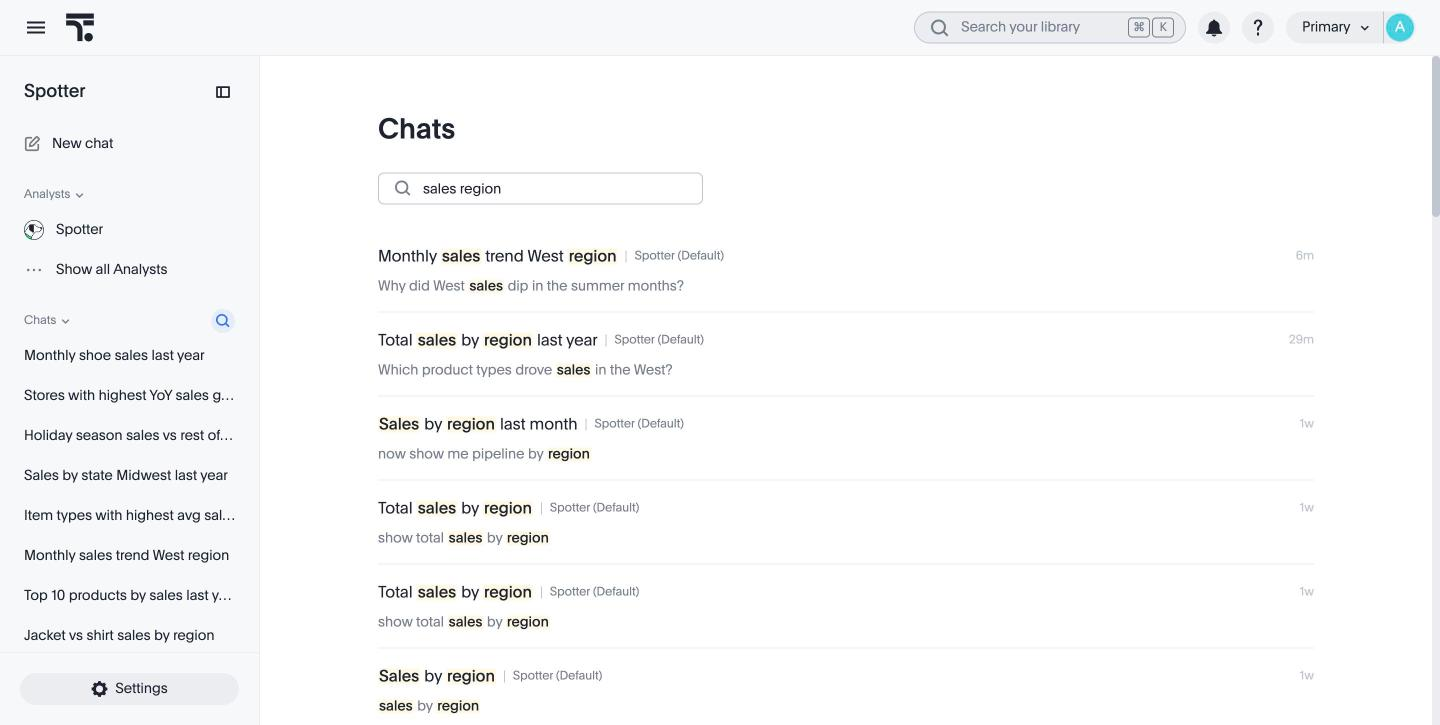
Type in the Search box. Results update as you type, and more load as you scroll.
-
Click a chat to open it at its latest message. You can ask follow-up questions as usual.
-
If your search matches no existing chats, the Search chats interface shows No chat history matched your search.
Search your chats in Spotter on Liveboards
In Spotter on Liveboards, you can search across your saved Spotter conversations directly from the chat panel, without scrolling through the full history list.
A Search box appears at the top of the chat panel. As you type, Spotter searches both conversation titles and full transcripts, and returns matching conversations with the match highlighted.
| Feature | Description |
|---|---|
Typo-tolerant matching |
Results tolerate minor spelling errors. For example, a search for |
Your conversations only |
Results include only your own saved chats. Conversations shared with you are not included. |
Results within 5 seconds |
New and renamed conversations become searchable within 5 seconds of the change. |
Filters |
Narrow results by date range, data model, or agent. |
Saved chats only |
The search scope matches your chat history list exactly. Unsaved chats cannot be searched. If chat history is turned off, the Search box is not available. |
Conversation search is available in Spotter 3 on ThoughtSpot Cloud.