Search your Spotter chats
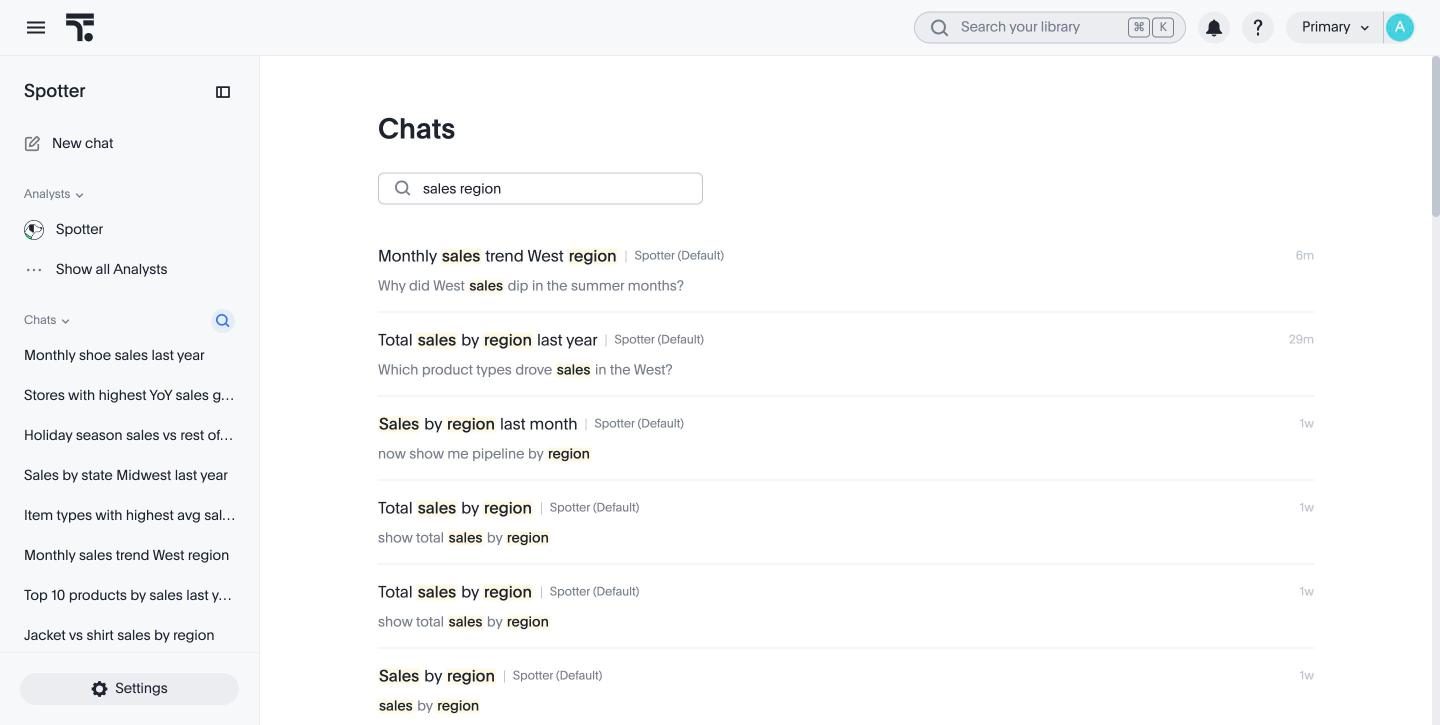
Search your saved Spotter chats to find a past analysis and continue it. Spotter matches your search against the chat title, the questions you asked, and Spotter’s answers.
| Search is available in the Answer overlay (Classic) Spotter 3 experience. It is not available in the Liveboard side panel (New) experience yet. |
Before you begin
-
Chat history must be turned on for your instance. See Enabling chat history.
-
Only saved chats are searchable. Chats you delete, and chats removed by the retention period, no longer appear in results.
Search your chats
To search your chats, follow these steps:
-
Open Spotter.
-
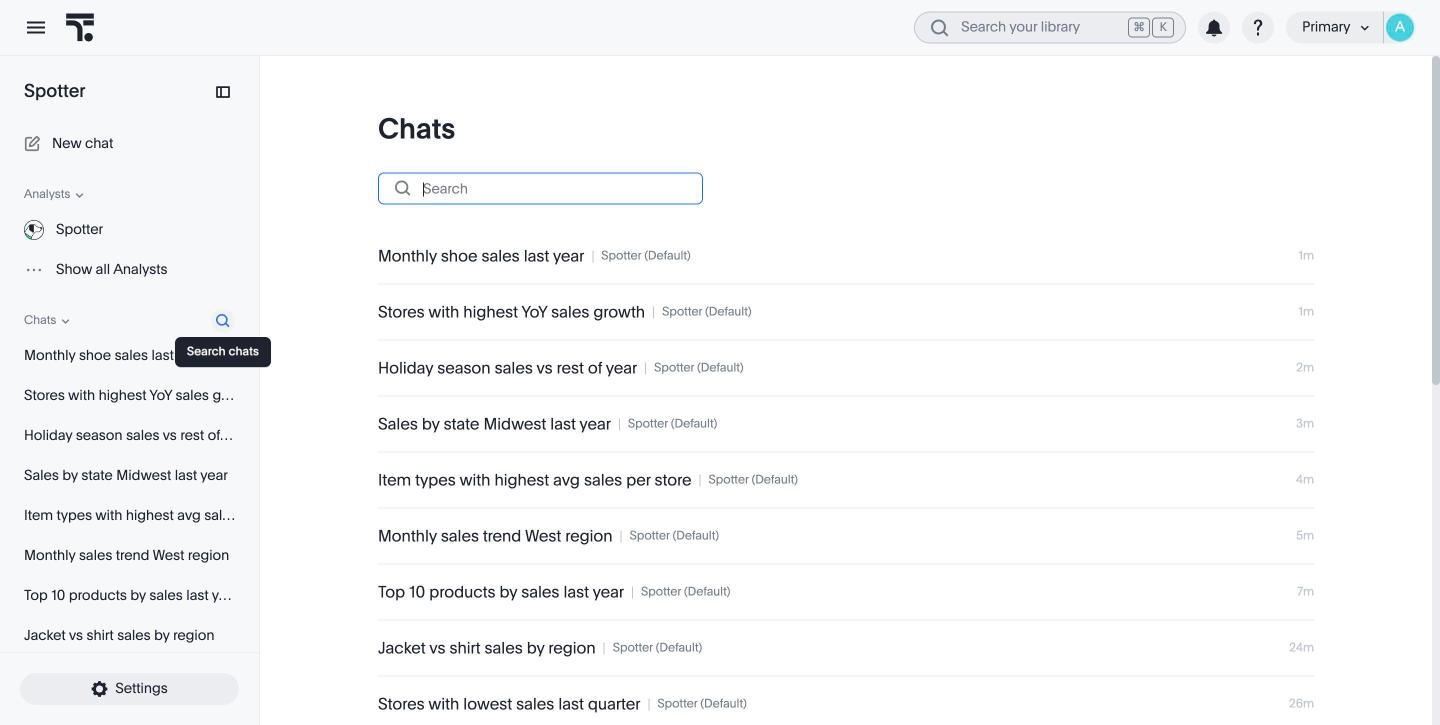
In the Spotter sidebar, click Search chats (the search icon next to Chats). The Chats page opens and lists your chats, newest first.
-
Type in the Search box. Results update as you type, and more load as you scroll.
-
Click a chat to open it at its latest message. You can ask follow-up questions as usual.
-
If your search matches no existing chats, the Search chats interface shows No chat history matched your search.