Coming soon
The following features are coming in the next release of ThoughtSpot Cloud.
December 2026 26.12.0.cl
Search across your conversations in Spotter on Liveboards GA
You can now search across all your Spotter on Liveboards conversations, making it easier to find past insights, questions, and answers. This new feature allows you to quickly locate any prior interaction, improving your ability to revisit previous discussions and discover valuable information in your chat history. No more searching each conversation individually—use global search to find relevant content wherever it appears.
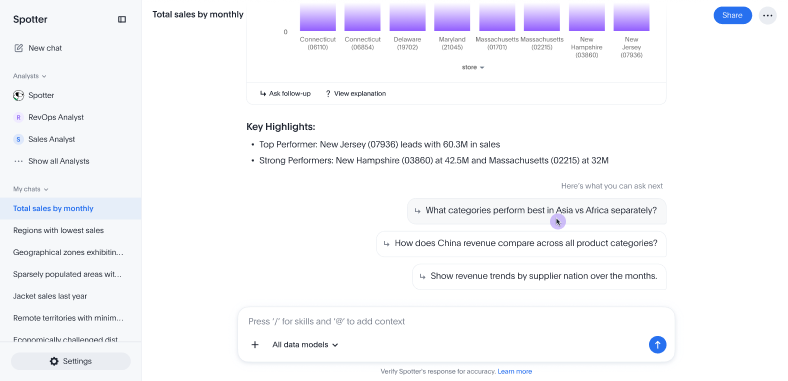
Suggested questions in Spotter GA
Spotter now suggests recommended follow-up questions in your conversations. If you click on a question, the text appears in the chat as if you typed it.
Smoother chart animations in Spotter on Liveboards GA
Spotter on Liveboards now features smoother, more fluid chart resizing animations. When you adjust the size of a chart, the visualization transitions seamlessly, reducing visual lag and dropped frames. This improvement enhances the overall viewing, exploration and search experience.
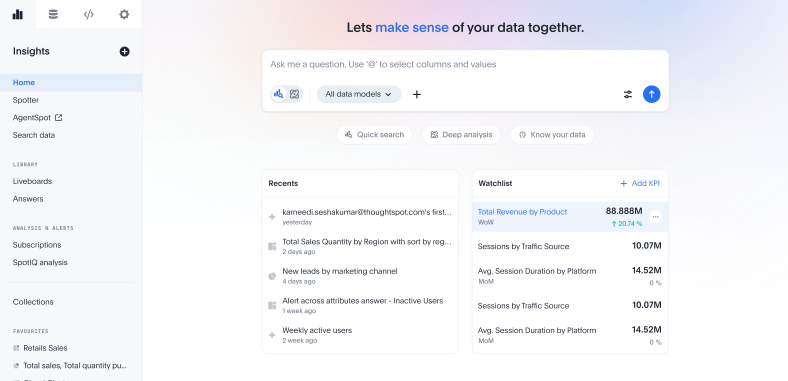
Home page: Improved navigation and discovery GA
The ThoughtSpot home page has been revamped with a new design to make finding, exploring, and accessing content easier. Enhanced navigation helps you quickly discover relevant Liveboards and Answers. The refreshed layout gives you a streamlined, modern experience when you sign in, enabling efficient access to your most-used data and analytics resources.
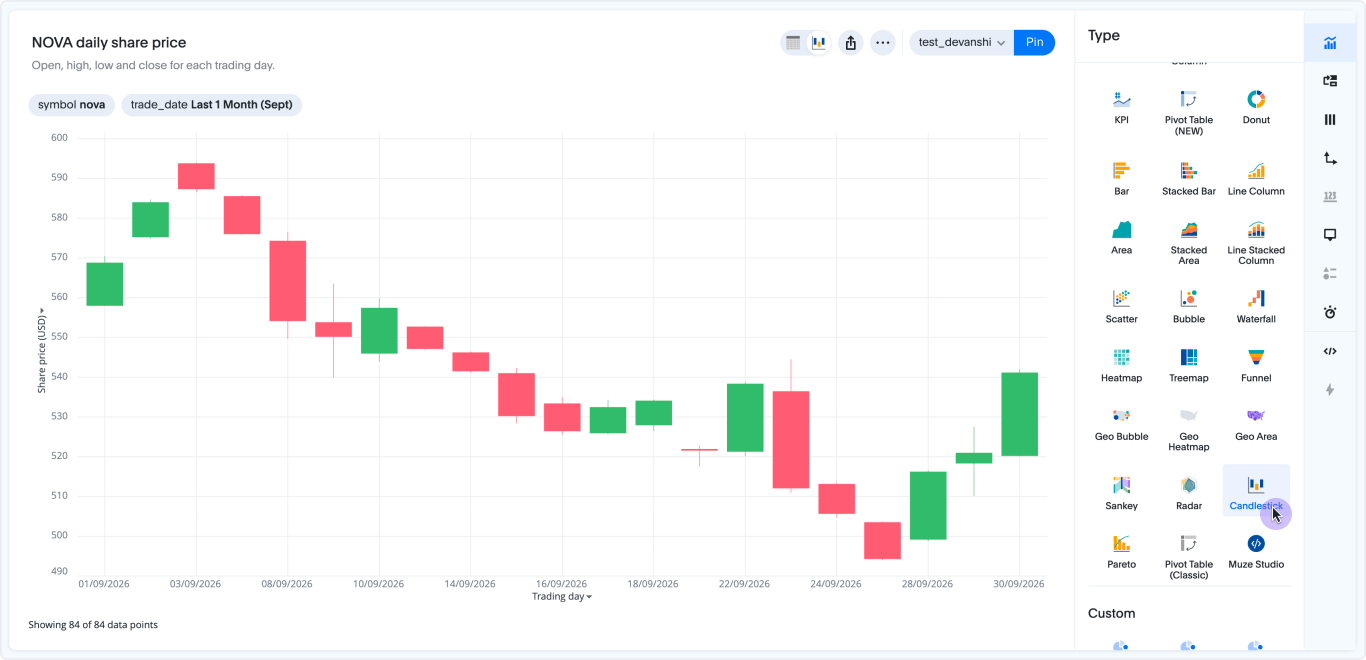
Candlestick chart added to new chart library GA
The new charts library expands to add candlestick charts. This update introduces advanced axis configuration, labeling for open, high, low, and close (OHLC) values, faceting and trellis chart modes, improved handling of null values, custom font support, and enhanced tooltips. Multiple attributes create facets for easier comparison, and the new renderer matches the legacy Highcharts candlestick behavior while offering greater flexibility for analysts and dashboard creators.
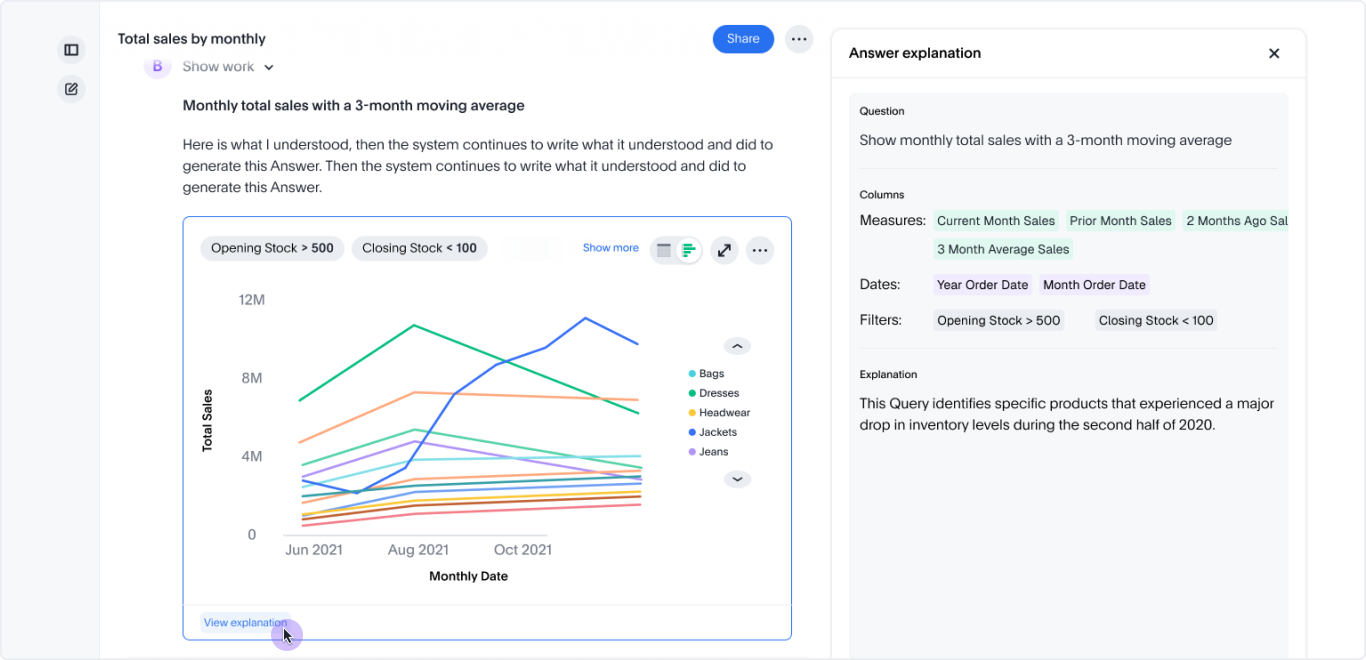
View explanation panel in Spotter answers GA
A View explanation link now appears in Spotter answers when ThoughtSpot can provide a detailed breakdown of how the answer was derived. Click the link to open a panel where you can see how your question was interpreted, which columns and tables were used, and how the result was calculated. The panel includes multiple tabs so you can explore different aspects of the answer.
On wider screens, the panel opens to the right of the answer card. On narrower screens and in embedded contexts, it opens below the answer card.
Rollout of this feature begins in 26.12.0.cl and will be enabled for all users during a phased GA.
Other features and enhancements
Monitor Spotter usage and conversations GA
Administrators can now monitor Spotter usage across their Org directly from Spotter > Settings. Monitor all chats opens a searchable, filterable list of every Spotter conversation in the Org, with each chat readable in full read-only view including Spotter’s reasoning. Spotter metrics provides a Liveboard of aggregate usage data including feedback scores and response latency, giving administrators visibility into adoption trends and answer quality over time. Monitoring is scoped to the signed-in Org in multi-Org instances and is available in the Liveboard side panel (New) experience of Spotter 3.
New privileges to control content creation and analysis GA
Administrators can now use roles to control who can create content and analyze data. These new privileges are available on instances with Roles enabled:
-
Can create Liveboards: Create, edit, copy, pin to, and delete Liveboards.
-
Can create Answers: Search data, and create, edit, and save Answers.
-
Can analyze data: Use Explore, Drill down, Change analysis, and Show underlying data.
-
Can administer schedules: Manage all schedules in the Org.
All existing and new users have the first three privileges by default, so nothing changes until an administrator revokes a privilege for a group. When a privilege is revoked, the related actions are hidden for those users. All users can still view Liveboards and Answers.
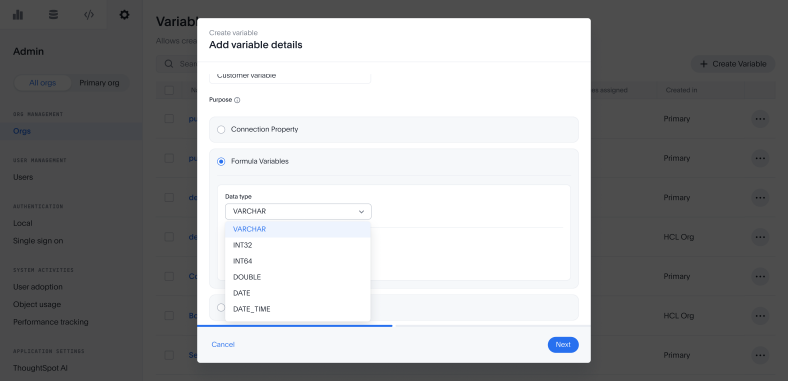
Manage formula variables in secondary Orgs GA
Variables now support several enhancements in the Admin portal. Formula variables can be assigned a data type (such as string, integer, date, or boolean) at creation, ensuring values are validated against the target column type and resolve correctly in RLS rules and formulas without conversion wrappers. Variable values can now be scoped to individual users and groups in addition to Orgs, with values resolved at query time in user > group > Org > default order. A default value can also be set on a variable, used as a fallback when no scoped value matches the current user context, preventing query failures for users or Orgs without an explicitly assigned value.
Additionally, Org administrators and users with Can manage variables privileges can now create and manage formula variables from the Variables page in their own Org, without switching to the primary Org. This includes assigning values scoped to that Org for use in RLS rules.
Column security rules: Attribute-based access control and publishing GA
Column security rules now support attribute-based access control (ABAC), letting administrators express column visibility as a boolean rule over user attributes rather than by group membership. Existing group-based column security requires a separate group for every combination of access dimensions (role, region, tier, and so on), which becomes unmanageable at scale and cannot be applied across Orgs. ABAC rules evaluate against the attributes the user already carries from their identity system, so a single rule covers all combinations and a primary-Org admin can publish a rule that is enforced across all secondary Orgs automatically. Rules are authored in the formula editor, supported in TML and the REST API v2, and enforced everywhere column security applies: tables, Models, Answers, Liveboards, Search, and Spotter. Group-based rules continue to work unchanged alongside them.
Redshift driver upgrade GA
The Redshift driver has been upgraded to version 2.2.8.
SQL Server driver upgrade GA
The SQL Server driver has been upgraded to version 13.2.1.jre8.
For the Developer
For new features and enhancements introduced in this release of ThoughtSpot Embedded, see ThoughtSpot Developer Documentation.