ThoughtSpot communication service (COMS)
The ThoughtSpot communication service delivers notifications to ThoughtSpot users. When a user shares an object, requests access, or receives an alert, the service sends the notification by email, Slack, Microsoft Teams, or in the ThoughtSpot notification center.
The communication service is available on ThoughtSpot Cloud, for both ThoughtSpot Analytics and ThoughtSpot Embedded. It is not available on ThoughtSpot Software (on-premises) deployments.
Benefits
When the communication service is enabled on your ThoughtSpot instance, you get the following:
- Notification preferences
-
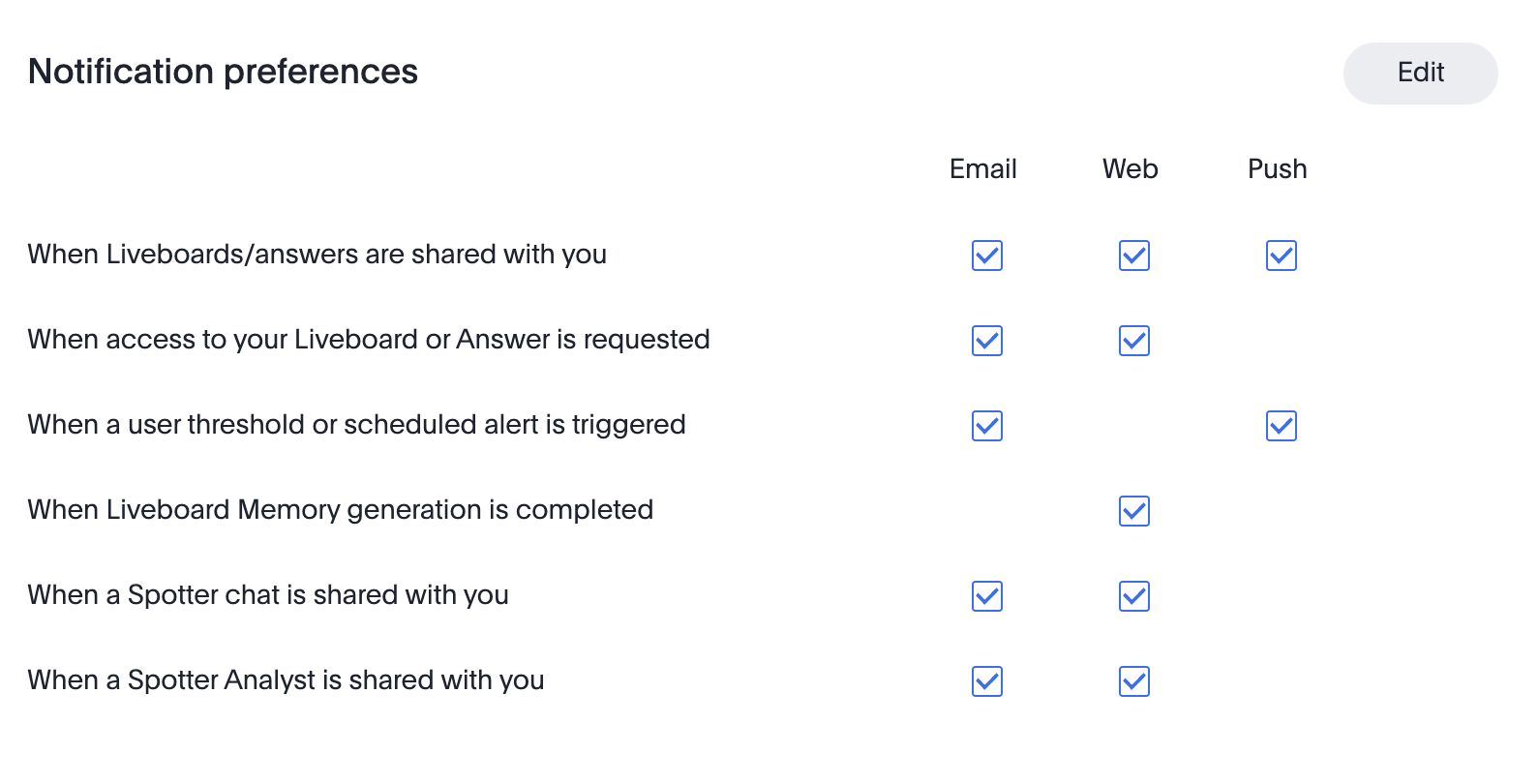
Each user can choose which notifications they receive, and on which channel, from the Notification preferences section of their profile. This section appears only when the communication service is enabled.
- Styled, localized emails
-
Notification emails use a consistent, styled template, and are translated into the user’s ThoughtSpot language.
- Email customization
-
Administrators can change the logo, colors, terminology, and footer of notification emails, for all Orgs or for individual Orgs. This option appears only when the communication service is enabled.
- In-app notifications
-
Users see share notifications, access requests, and alerts in the ThoughtSpot notification center, in addition to email.
- Reliable delivery
-
The service is highly available, and delivers notifications on multiple channels from a single source.
Notifications sent by the communication service
The communication service sends notifications for the following events:
-
A Liveboard, Answer, or visualization is shared with you
-
A Spotter chat is shared with you
-
A user requests access to a Liveboard or Answer that you can edit
-
A KPI or Monitor alert is triggered
-
SpotIQ analysis results are ready
-
Account events: welcome and account activation, invitations, password reset, and locked accounts
Features that require the communication service
Some notifications are available only when the communication service is enabled:
-
Spotter chat share notifications. Users receive an email and in-app notification when a Spotter chat is shared with them. Without the communication service, shared chats generate no notification, and recipients can reach a shared chat only through its link.
-
Notification preferences in the user profile.
-
Email customizations in Admin settings.
-
Webhooks
How users manage notifications
When the communication service is enabled, each user controls their own notifications:
-
Select your user icon, then select Profile.
-
Next to Notification preferences, select Edit.
-
Select or clear the checkbox for each notification and channel.
-
Select Save.
For more information, see Notification preferences and Web notifications.
How administrators customize emails
Administrators can change the branding, terminology, and footer content of notification emails from Admin settings > Email customizations. For more information, see Customize ThoughtSpot email template.
Check whether the service is enabled
Some existing ThoughtSpot Cloud instances, including some ThoughtSpot Embedded instances, might not have the communication service enabled.
To check, select your user icon, then select Profile. If your profile doesn’t have a Notification preferences section, the communication service is not enabled on your instance. To enable it, contact ThoughtSpot support.
Enable the communication service
To enable the communication service on your instance, contact ThoughtSpot support. Include your ThoughtSpot instance URL in your request.
The change does not require downtime. After the service is enabled:
-
The Notification preferences section appears in each user’s profile.
-
Email customizations appears under Application settings in Admin settings.
-
New notifications use the communication service. Notifications sent before the change are not resent.